Segments Screen
Last updated: June 30, 2026
What is the Segments Screen?
The Segments screen allows you to define rules for how Mable groups customers into different customer segments.
These segments form the foundation for customer analytics (can be found in Analytics) and audience creation (can be found in the audience screen) throughout Mable. Every customer who has placed an order is automatically assigned to one or more segments based on their purchase behavior and the segment settings you define.
Segments are automatically calculated and maintained by Mable based on the rules defined in the Segment Settings. No manual segment creation is required.
Segments are available for Mable Pro and Premium plans only.
Where can you find the Segments Screen?
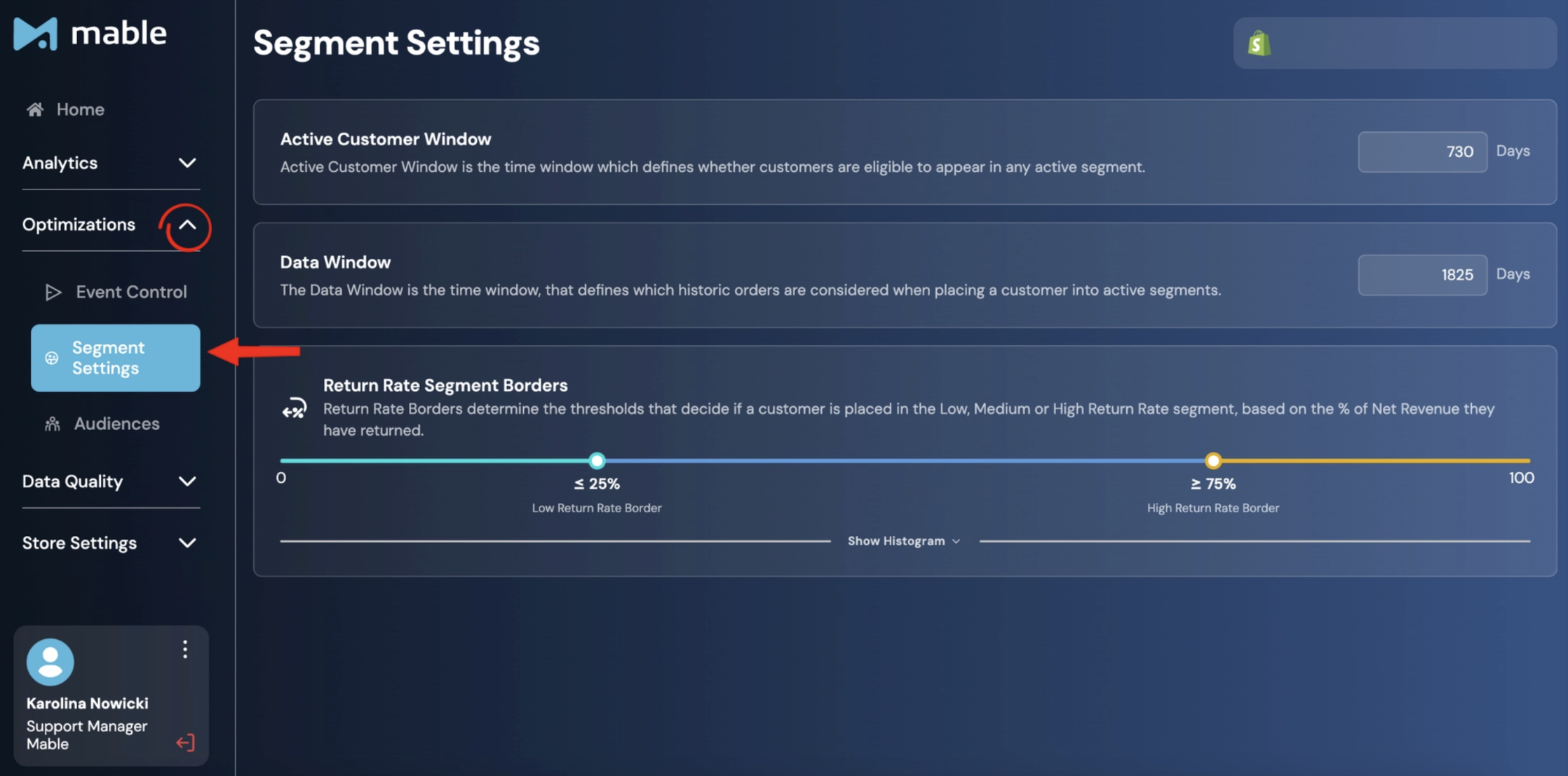
Go to: Optimizations → Segments Settings
What are Segments?
Segments are customer groups created by Mable based on customer and order behavior.
Every customer who has purchased from the shop is assigned to one or more segments. This includes historical customer data as well as purchases that occurred after Mable was installed.
The available Segments are:
General Segments
All Customers: All customers who have ever placed an order in this store.
Active Customers: All customers whose last order in this store is within the Active Customer Window.
Passive Customers: All customers whose last order in this store is outside the Active Customer Window.
Acquisition Segments
First-Time Customers: All customers within the Active Customer Window who have placed exactly one order in this store.
Repeat Customers: All customers within the Active Customer Window who have placed more than one order in this store.
Return Segments
High Return Rate Customers: Customers within the Active Customer Window who have returned a significant portion or even the entirety of their orders, with a total % returned Net Revenue above the High Return Rate Border.
Medium Return Rate Customers: Customers within the Active Customer Window who have returned a moderate portion of their orders, with a total % returned Net Revenue between the High Return Rate Border and Low Return Rate Border.
Low Return Rate Customers: Customers within the Active Customer Window who have returned none or only a small part of their orders, with a total % returned Net Revenue below the Low Return Rate Border.
Subscription Segments
First Order Subscribers: Customers within the Active Customer Window with an active subscription who have only placed one order so far.
Multi-Order Subscribers: Customers within the Active Customer Window with an active subscription who have placed more than one order.
Non-Subscription Customers: Customers within the Active Customer Window who have exclusively purchased non-subscription products in this store and not signed up for a subscription.
First Order Churns: Customers within the Active Customer Window who don’t have an active subscription and had only one in the past which they cancelled after their first order.
Multi-Order Churns: Customers within the Active Customer Window who don’t have an active subscription but had multiple subscription orders in the past.
Segments are reflected in the Mable Segment Analytics (learn more in the guide on Segment Analytics) and are the foundation for Custom Audiences and audience-based optimization strategies.
How is the Segments Screen structured?
Segment Settings
Segment Settings define the rules Mable uses to group customers into different segments.
Mable keeps these segments up to date automatically. Customer and order data is refreshed every 30 minutes, so the segments reflect recent purchase behavior without requiring manual updates.
The three key settings are:
Active Customer Window
Data Window
Return Rate Segment Borders
Active Customer Window
The Active Customer Window determines whether a customer is classified as an Active Customer or Passive Customer based on the time since their most recent purchase.
Customers whose last purchase falls within the configured timeframe are classified as Active Customers. Customers whose last purchase falls outside the timeframe are classified as Passive Customers.
Together, Active and Passive Customers make up your entire customer base, meaning all customers who have ever placed an order in your store.
The Active Customer Window is one of the most important settings in the Segments screen because it is the foundation for most customer segments in Mable. Changing it affects not only the number of Active and Passive Customers, but also the size of these segments:
First-Time Customers
Repeat Customers
Low Return Rate Customers
Medium Return Rate Customers
High Return Rate Customers
Non-Subscription Customers
First Order Subscribers
Multi-Order Subscribers
First Order Churns
Multi-Order Churns
A shorter Active Customer Window results in fewer customers being classified into these segments and more customers becoming Passive Customers. A longer window has the opposite effect.
We recommend changing this setting only if you have a clear business reason to redefine what an active customer means for your brand.
Data Window
The Data Window defines how far back Mable evaluates historical orders when classifying customers.
In simple terms:
The Active Customer Window determines whether a customer is active.
The Data Window decides how much historical customer behavior is considered for classification.
Example:
Active Customer Window: 2 years
Data Window: 5 years
A customer with at least one purchase in the last 2 years is considered active.
If that customer placed additional orders before those 2 years but within the 5-year Data Window, Mable can use that history to classify the customer correctly, for example, as a repeat customer.
For example, Mable uses historical purchase data to distinguish between first-time and repeat customers or to evaluate return and subscription behavior.
In order to use historic data, you need to modify the settings in the Audience Screen. Find further information in the guide on Audience Settings.
Return Rate Segment Borders
The Return Rate Segment Borders define how Mable groups customers based on return behavior.
Customers are classified into Low Return Rate Customers, Medium Return Rate Customers, or High Return Rate Customers based on the percentage of net revenue they have returned.
To divide your customers into segments, you need to set two borders:
Low Return Rate Border: Customers below or up to this border are classified as Low Return Rate Customers.
High Return Rate Border: Customers above or equal to this border are classified as High Return Rate Customers.
Customers between both borders are classified as Medium Return Rate Customers.
Using the histogram
To help you choose suitable borders, click Show Histogram.
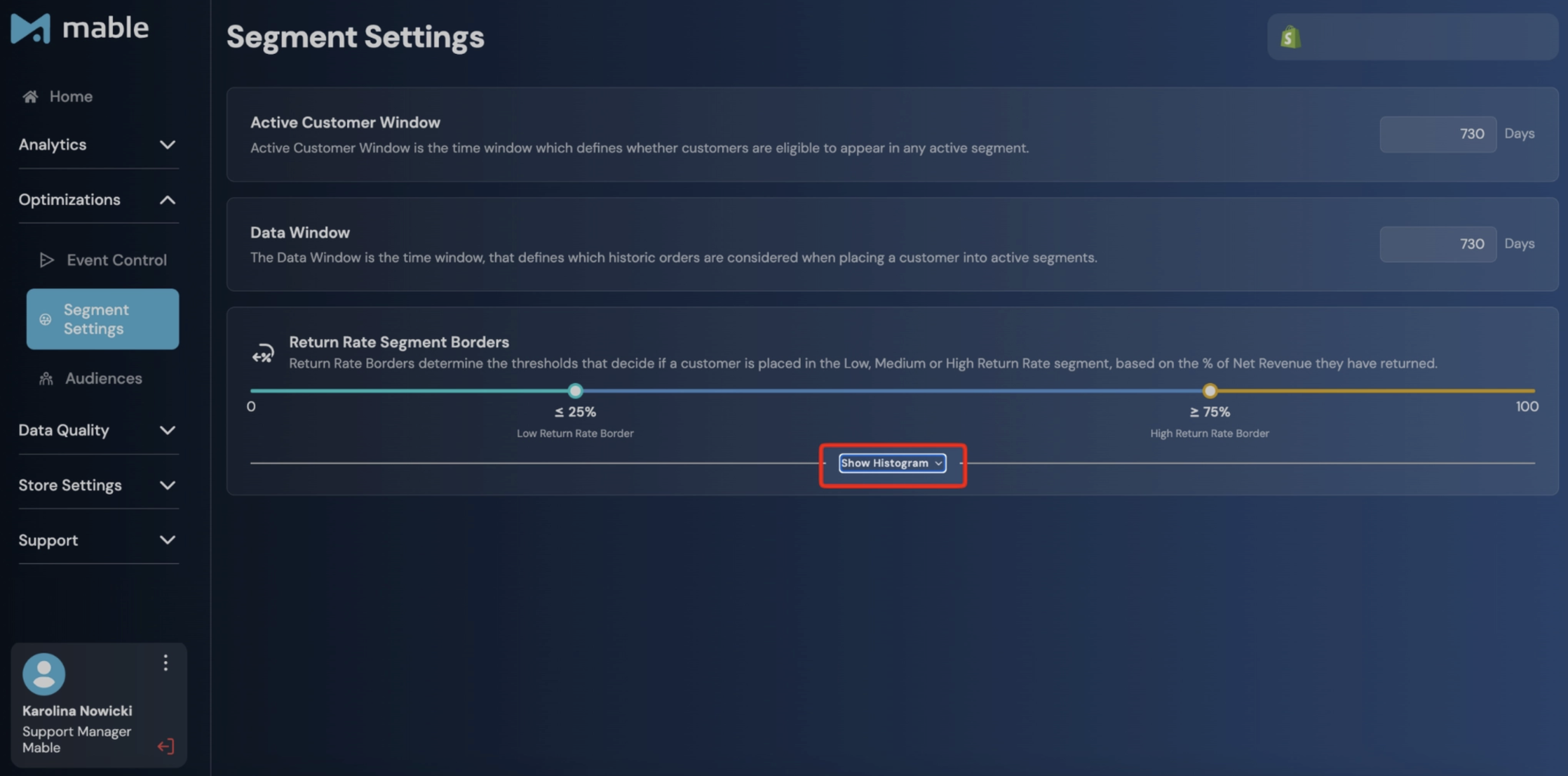
The histogram displays the distribution of your customers based on their return rates. Each bar represents the number of customers within a specific return rate range, allowing you to see where most customers are concentrated and where natural breakpoints exist.
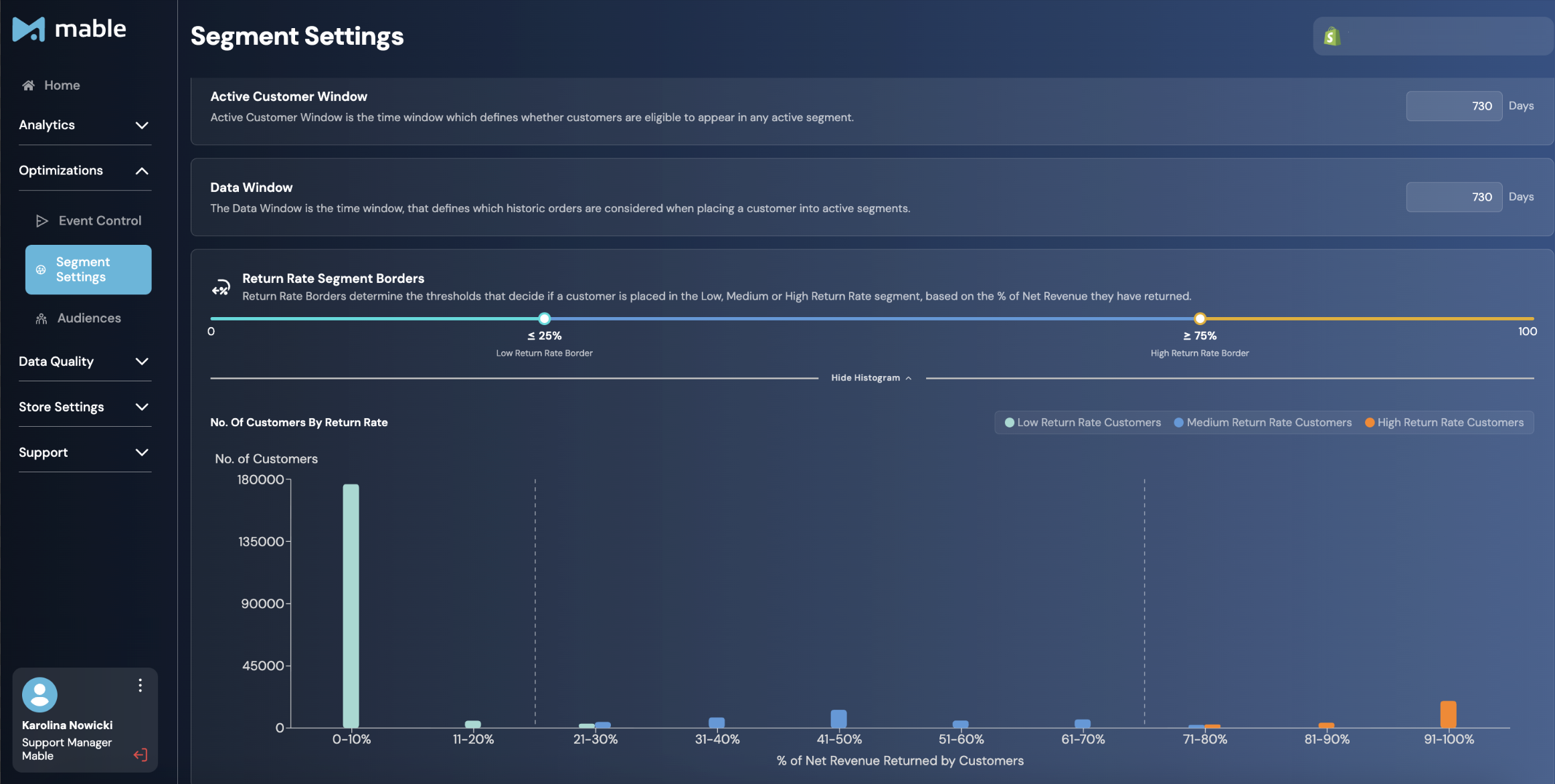
Use this distribution to set borders that reflect your business. For example, you may choose thresholds that separate the majority of customers with low return rates from smaller groups of medium- and high-return customers.
Example:
If the lower border is 25% and the higher border is 75%:
0–25% returned net revenue → Low Return Rate Customer
25–75% returned net revenue → Medium Return Rate Customer
75–100% returned net revenue → High Return Rate Customer
By adjusting the borders, you can tailor the segmentation logic to match your business model and return patterns.
Important distinction from Event Control
Segment Settings and Event Control serve different purposes.
Segment Settings define how customers are grouped within Mable for analytics and audience creation.
Event Control determines how individual purchases are classified and which conversion events are sent to your advertising platforms. These events are then used for campaign reporting and as optimization goals for your advertising campaigns.
For example, the New Customer Event Timeframe in Event Control determines whether a purchase is sent to Meta or Google as a NewCustomerPurchase or ReturningCustomerPurchase event.
In contrast, the settings in the Segments screen determine which customers belong to which customer segments that are used for analytics and audience creation, like First-Time Customer, Repeat Customer and others.
What is the difference between Segments and Audiences?
Although closely related, Segments and Audiences are not the same thing.
Segments live within Mable. Mable analyzes your customer base and automatically assigns customers to segments based on their order history and the rules defined in your Segment Settings. Every customer who has placed an order can be part of a segment, including both historical customers who placed their last order before Mable was installed as well as customers who’ve purchased since Mable was installed.
Audiences are created from these segments and activated in your advertising platforms. However, not every customer in a segment will necessarily become part of the corresponding Audience.
This can happen for two reasons. First, Segments include all customers in your store, while Audiences only include customers whose data Mable is permitted to activate in advertising platforms based on the configured Privacy Permissions. Second, the advertising platform still needs to match the submitted customer data to an actual user account.
As a result, Audience sizes are usually smaller than the corresponding Segment sizes.
Why are Segments important?
Segments help you better understand your customer base and serve as the foundation for Mable's Audience and Analytics features.
Once configured, segments can be used to:
Analyze customer behavior
Monitor acquisition, retention, and return trends
Create Audiences for activation in advertising platforms
Build optimization strategies around specific customer groups
Best practices
Only change the Active Customer Window if your business has a clear reason to define active customers over a shorter or longer period.
Use Return Rate Segment Borders based on your business model. A fashion brand with frequent returns may need different thresholds than a consumables brand with low returns.
Remember that segment size in Mable may differ from the corresponding audience in your ad platform size for two reasons:
Segments include all customers, regardless of their Privacy Permissions, whereas Audiences only include customers who have granted the required privacy permissions.
After Mable sends an audience, the advertising platform (e.g. Meta) must match the submitted customer data to user accounts. Customers who cannot be matched are not included in the final Audience.