Audience Settings ScreenWhat is the Audience Settings Screen? What is it used for?
Last updated: June 30, 2026
What is the Audience Settings Screen? What is it used for?
The Audience Settings Screen shows you statistics on privacy permissions and allows you to manage how Mable handles customer and order data from before Mable was installed.
It lets you decide whether you want to use historic data and gives you insights on how much historic shop data is known to Mable and how much of that data has the required privacy permission for further use.
When adding historic data, it is used by Mable for Audiences. If no historic orders are available, it will take a significant amount of time before those Audiences can provide their true value, as data will have to be collected first.
While Segment Settings determine how customers are grouped into segments, Audience Settings determine which historical customers from those segments are eligible to be included in Audiences.
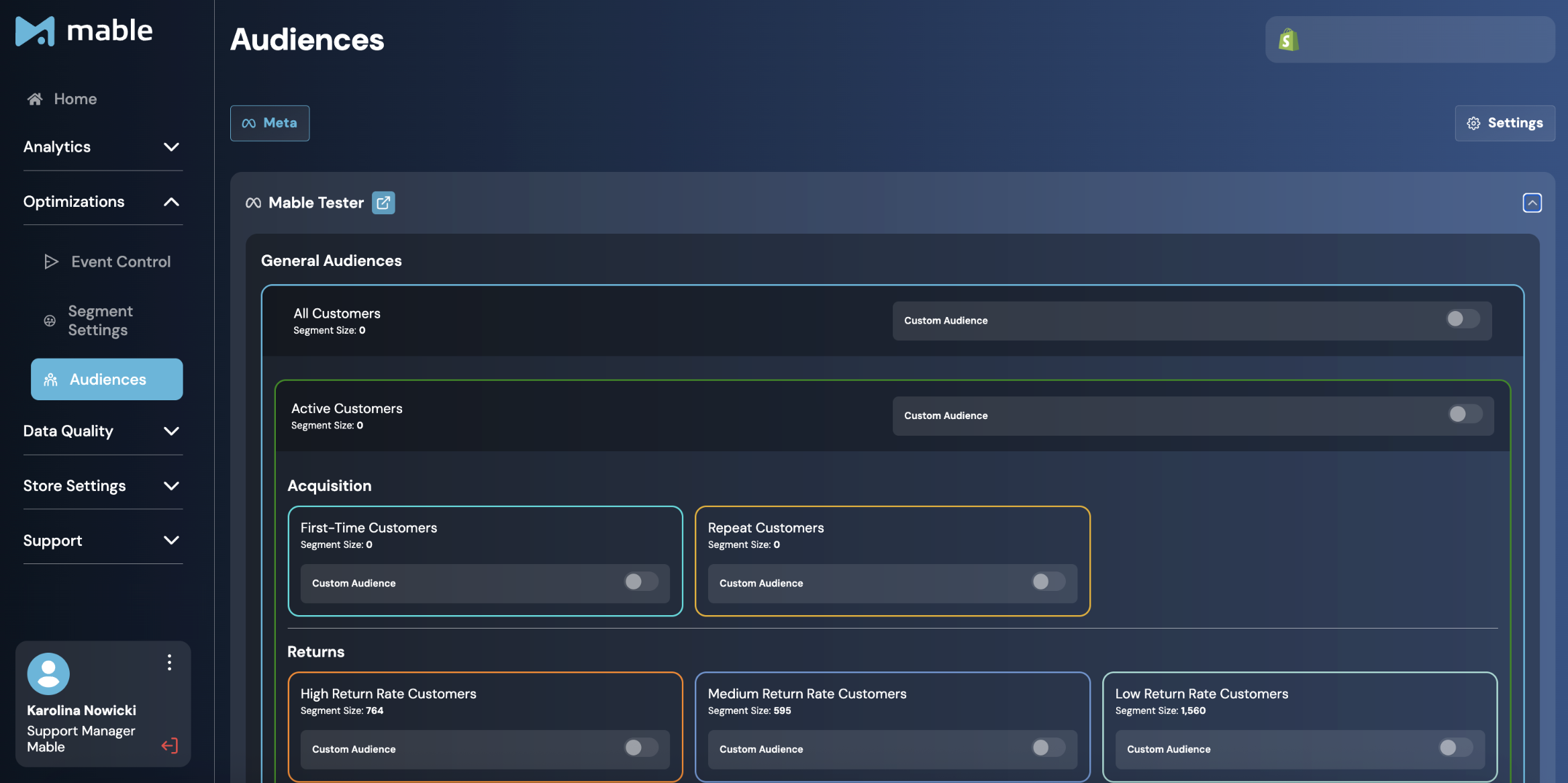
Where can you find the Audience Settings?
Go to: Optimizations → Audiences → Settings
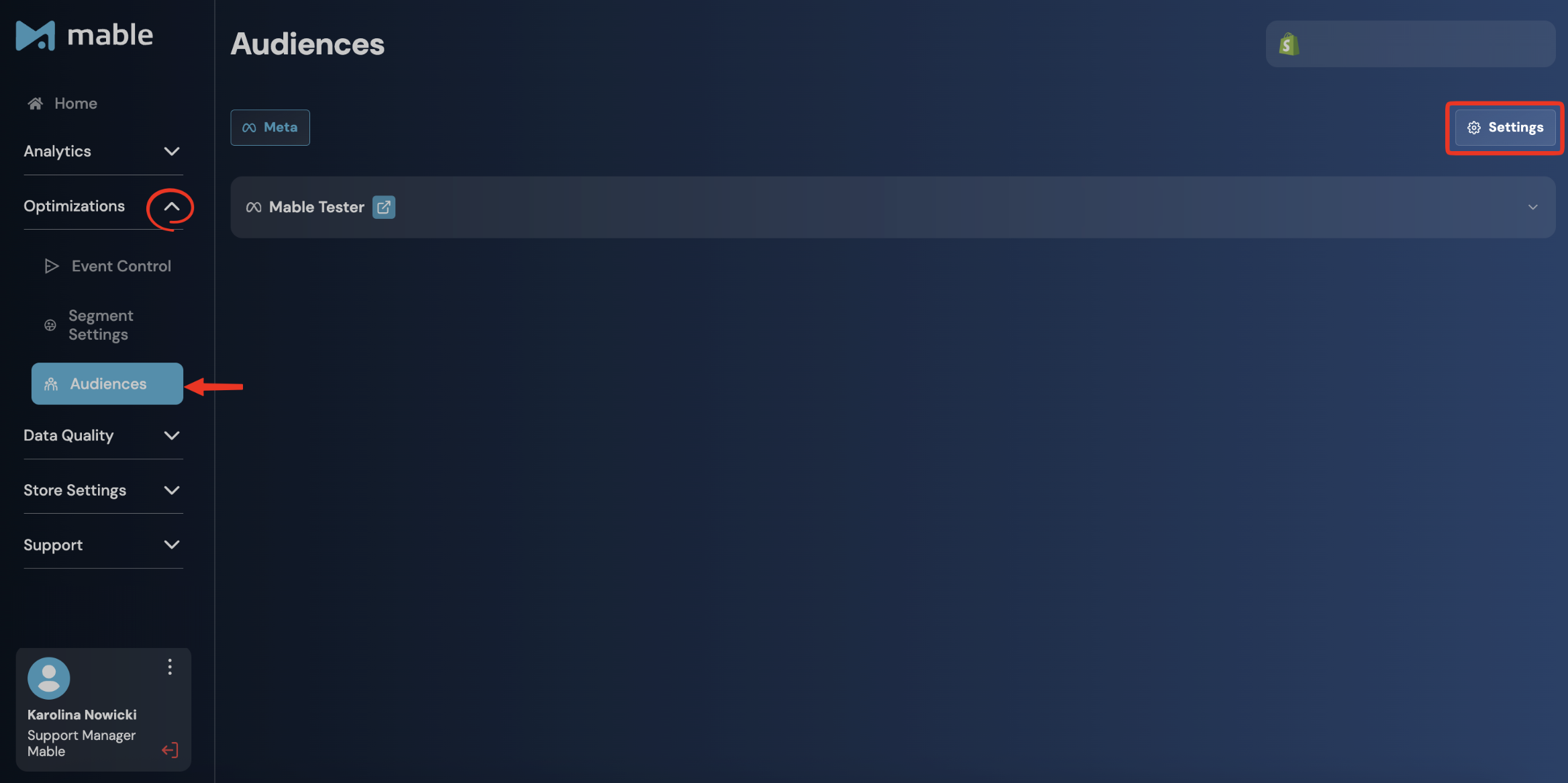
With Mable 2.1, Historic Data Input has been moved into the Audience Screen because it directly affects audience creation.
How is the Audience Settings Screen structured?
Total Privacy Permission Statistics
The Total Privacy Permission Statistics section shows how much customer and order data is known to Mable and how much of that data has the required Privacy Permission.
This section helps you understand the difference between your full customer/order base and the part of that base that can be used for Audience creation.
The four main metrics are:
Total Orders: All orders known to Mable for this store. This can include historic orders and orders that happened after Mable was installed.
Orders with Privacy Permissions: Orders for which Mable has received Privacy Permission. This number may be lower than Total Orders.
Total Customers: The number of unique customers known to Mable from order data. Mable identifies unique customers from orders, for example based on customer ID or email. Example: If one customer placed three orders, this counts as three orders but one customer.
Customers with Privacy Permissions: Customers who can be used for Audiences. This number may be lower than Total Customers.
Why can Total and Privacy Permission numbers differ?
A customer or order can be known to Mable without being available for Custom Audiences.
This is why you may see different numbers for:
Total Orders vs. Orders with Privacy Permissions
Total Customers vs. Customers with Privacy Permissions
At the beginning, these numbers may be identical depending on the selected Historic Data option.
Over time, they can differ based on customer behavior and the connected privacy settings.
Historic Orders Usage
In this section of the Audience Settings Screen, you choose how historic orders should be handled.
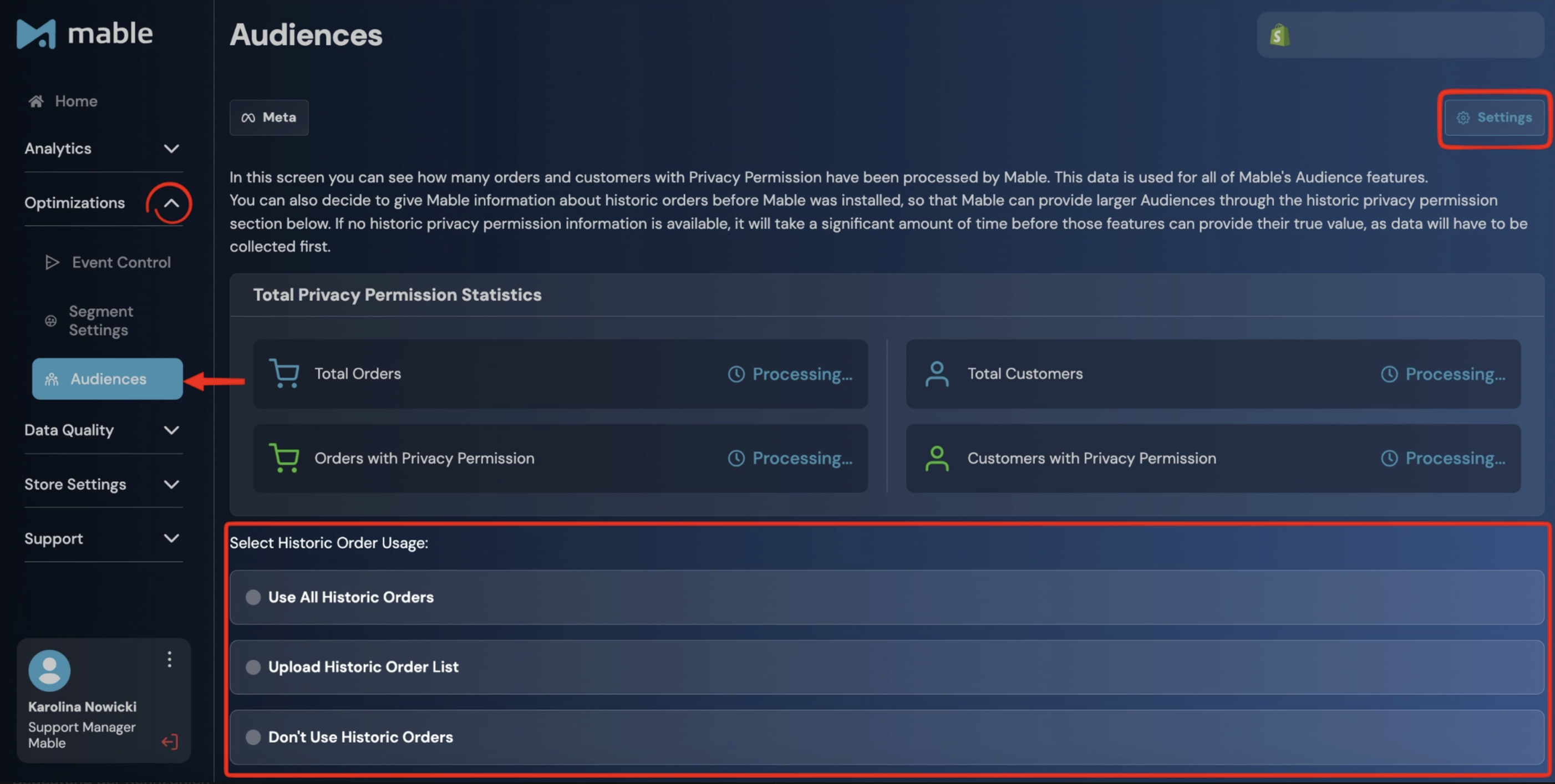
You can choose from three different settings:
Use All Historic Orders
Use all historic orders for the maximum amount of data, resulting in the most promising results. However, please note that this option is only legal if you are not required to collect the privacy permissions of users in order to transfer the user's data to 3rd parties.
This setting means that your entire historic data is used for the creation of segments and audiences.
Upload Historic Order List
Upload a list of order IDs that were placed before Mable was installed for which you have privacy permission.
The more order IDs are uploaded, the less amount of time before Audiences can provide their true value, as more data is already present.
This is useful if only selected historical customers should be available for Custom Audience creation.
Don’t Use Historic Orders
If Don’t Use Historic Orders is selected, historical customers are excluded from Custom Audience creation.
These customers can still be included in Mable segments and analytics, but they will not be available for audiences in ad platforms based on historical data.
Keep in mind that this option may limit audience size at the beginning, as Mable first needs to collect new customer data before Custom Audiences can reach their full potential.
What happens over time?
After Mable is installed or after the Historic Order Usage setting is selected, new customer data is handled based on the Privacy Settings.
New users with the required permission are counted in both:
the total number
the privacy-permission number
New users without the required permission increase the total number, but not the number with Privacy Permission.
This means the numbers can start equal and diverge over time.
Important: Historic Order Usage does not replace Segment Settings
Historic Order Usage Settings and Segment Settings are connected, but they are not the same.
Segment Settings define how customers are grouped into segments.
Historic Order Usage Settings defines which historical customers out of these segments can be used for Custom Audiences.
Example:
A customer can be part of the Active Customers segment in Mable.
But whether this customer can be used for the Active Customers Custom Audience depends on the Historic Data and Privacy Permission.
Best practices
Use Use All Historic Orders if historical customers should be available for Custom Audiences. Please note that this option is only legal if you are not required to collect the privacy permissions of users in order to transfer the user's data to 3rd parties.
Use Don’t Use Historic Orders if historical customers should not be used for Custom Audiences.
Use Upload Historic Order List if only selected historical customers should be available for Custom Audiences.
Check the difference between total numbers and privacy-permission numbers to understand how much of your customer base is available for Custom Audiences.
Remember that Historic Order Usage Setting does not define segment logic. Segment logic is configured in the Segment Settings tab.