Audience Screen
Last updated: June 30, 2026
What is the Audience Screen?
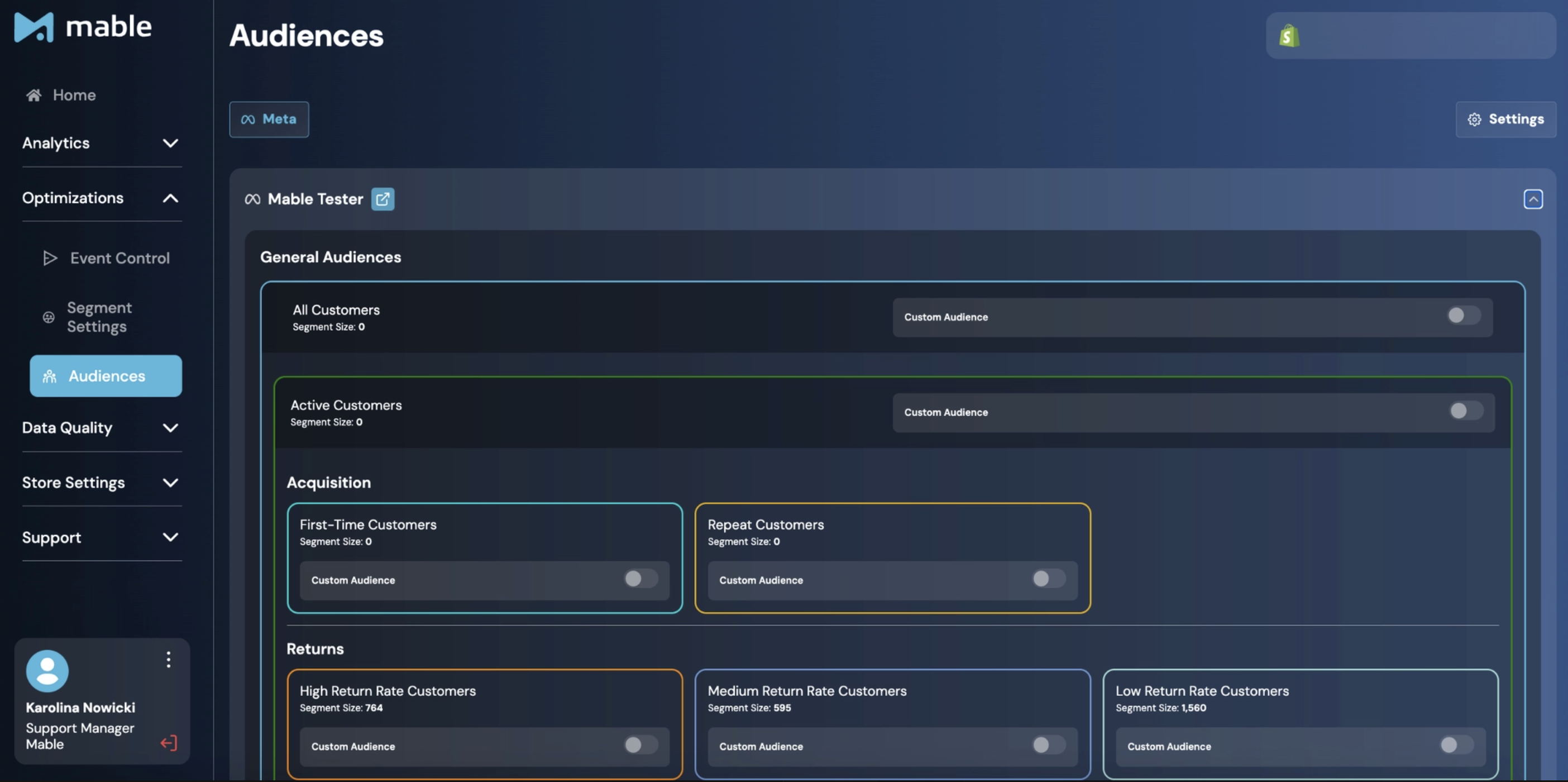
The Audience Screen allows you to create and manage Audiences based on the customer segments defined in Mable.
With Mable 2.1, Audiences are currently available for Meta only.
Once activated, Mable automatically keeps these audiences up-to-date based on the underlying segment data and available privacy permissions.
Audiences can be used in Meta for targeting, exclusions, and Lookalike Audience creation.
Where can I find the Audience Screen?
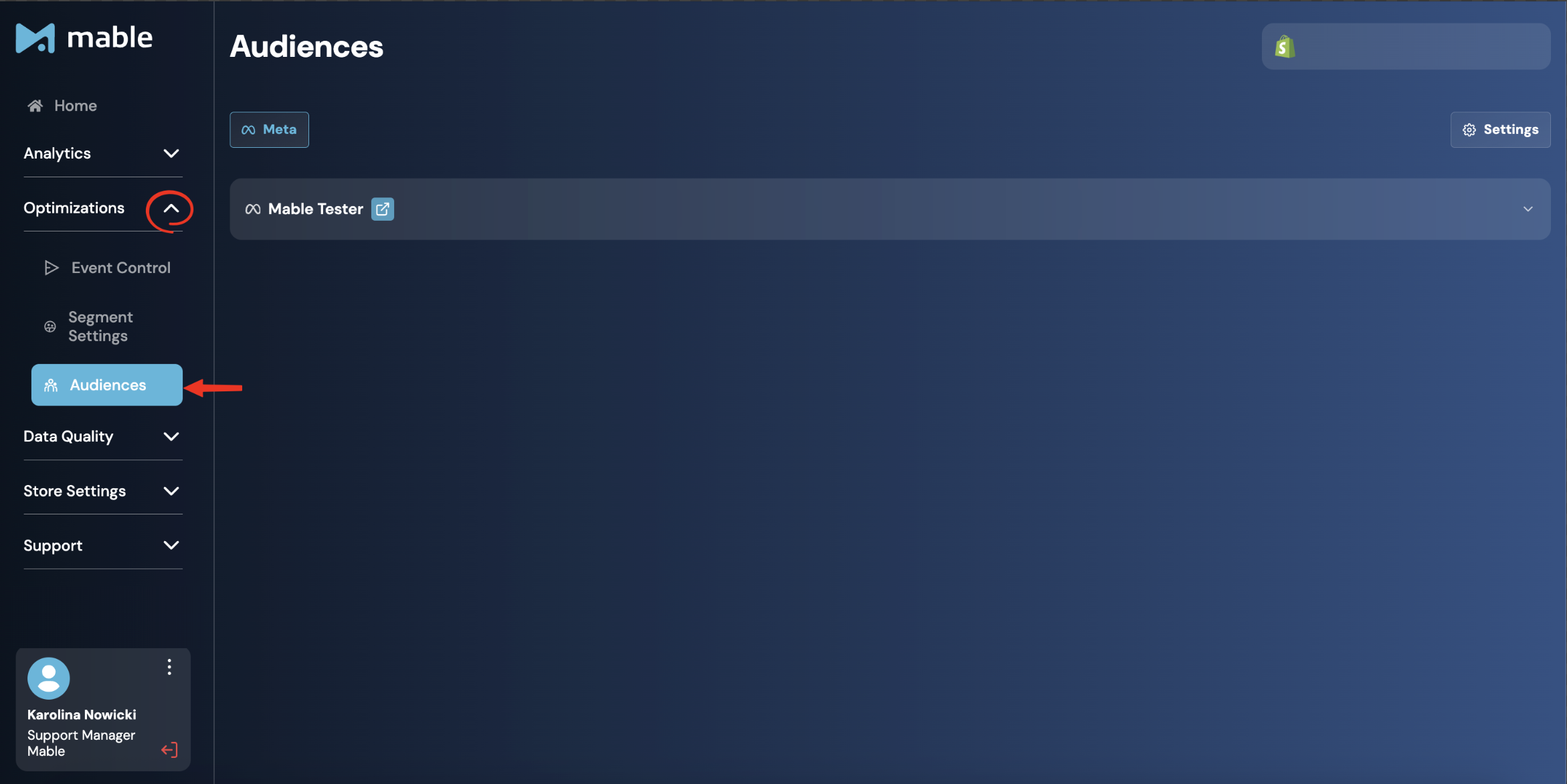
Go to: Optimizations → Audiences
How is the Audience Screen structured?
The Audience Screen is organized by connected Meta Ad Accounts.
If multiple Meta Ad Accounts are connected, each Ad Account appears as a separate section and can have its own Audience configuration.
This allows you to activate different Audiences for different Ad Accounts if required.
What audiences are available?
Mable currently supports the following audiences:
General Audiences
All Customers: All customers who have ever placed an order in this store.
Active Customers: All customers whose last order in this store is within the Active Customer Window.
Passive Customers: All customers whose last order in this store is outside the Active Customer Window.
Acquisition Audiences
First-Time Customers: All customers within the Active Customer Window who have placed exactly one order in this store.
Repeat Customers: All customers within the Active Customer Window who have placed more than one order in this store.
Return Audiences
High Return Rate Customers: Customers within the Active Customer Window who have returned a significant portion or even the entirety of their orders, with a total % returned Net Revenue above the High Return Rate Border.
Medium Return Rate Customers: Customers within the Active Customer Window who have returned a moderate portion of their orders, with a total % returned Net Revenue between the High Return Rate Border and Low Return Rate Border.
Low Return Rate Customers: Customers within the Active Customer Window who have returned none or only a small part of their orders, with a total % returned Net Revenue below the Low Return Rate Border.
Subscription Audiences
First Order Subscribers: Customers within the Active Customer Window with an active subscription who have only placed one order so far.
Multi-Order Subscribers: Customers within the Active Customer Window with an active subscription who have placed more than one order.
Non-Subscription Customers: Customers within the Active Customer Window who have exclusively purchased non-subscription products in this store and not signed up for a subscription.
First Order Churns: Customers within the Active Customer Window who don’t have an active subscription and had only one in the past which they cancelled after their first order.
Multi-Order Churns: Customers within the Active Customer Window who don’t have an active subscription but had multiple subscription orders in the past.
All Audiences are based on the customer segments configured in the Segments Screen.
How do I activate an Audience?
For each connected Meta Ad Account you can activate or deactivate individual Audiences.
The All Customers Audience is not active by default. It is automatically activated as soon as another audience is used. It then serves as the baseline audience and includes all eligible customers with valid privacy permissions.
All other Audiences are deactivated by default and can be activated manually per Ad Account.
Once you activate an Audience, Mable creates the corresponding Custom Audience in Meta and keeps it updated based on the related Mable segment and privacy permissions.
Default Audience behavior
Audience | Default status | Can be changed? |
|---|---|---|
All Customers | Deactivated by default | Can be activated manually |
Active Customers | Deactivated by default | Can be activated manually |
New Customers | Deactivated by default | Can be activated manually |
Returning Customers | Deactivated by default | Can be activated manually |
Return Rate Audiences | Deactivated by default | Can be activated manually |
Subscription Audiences | Deactivated by default | Can be activated manually |
Passive Customers | Deactivated by default | Can be activated manually |
This ensures that the baseline customer audience becomes available as soon as you start using Audiences, while all additional Audiences can be enabled based on your campaign strategy.
How are audiences created?
Mable creates audiences based on the overlap between:
customers who are part of the relevant Mable segment, and
customers who have valid privacy permission.
In simple terms:
Audience = Segment Members with Privacy Permission to which Meta could match user
Mable sends all eligible customers to Meta, where Meta attempts to match the submitted customer information to existing Meta accounts.
The resulting Custom Audience consists only of successfully matched users. As a result, the final Audience size in Meta is often smaller than the number of customers submitted by Mable.
Why can the audience size in Meta be smaller?
The Audience size in Meta can be smaller for two reasons.
Segments include all customers, regardless of their Privacy Permissions, whereas Audiences only include customers who have granted the required privacy permissions.
After Mable sends an audience, the advertising platform (e.g. Meta) must match the submitted customer data to user accounts. Customers who cannot be matched are not included in the final Audience.
Some customers may:
not have a Meta account
use a different email address on Meta
not be matched by Meta based on the submitted data
How does privacy permission influence my Audiences?
Privacy Permission determines whether Mable is allowed to share information about a customer or their events with third-party platforms, such as Meta, Google Ads, or TikTok. It therefore affects both event sending and Audience creation.
For Audiences, Privacy Permission determines which customers of a segment can be included in the corresponding Audience.
For customers who placed orders before Mable was installed, the permission is determined by your Historic Order Usage setting which you can modify in the Audience Settings. Read more about it in the guide on Audience Settings.
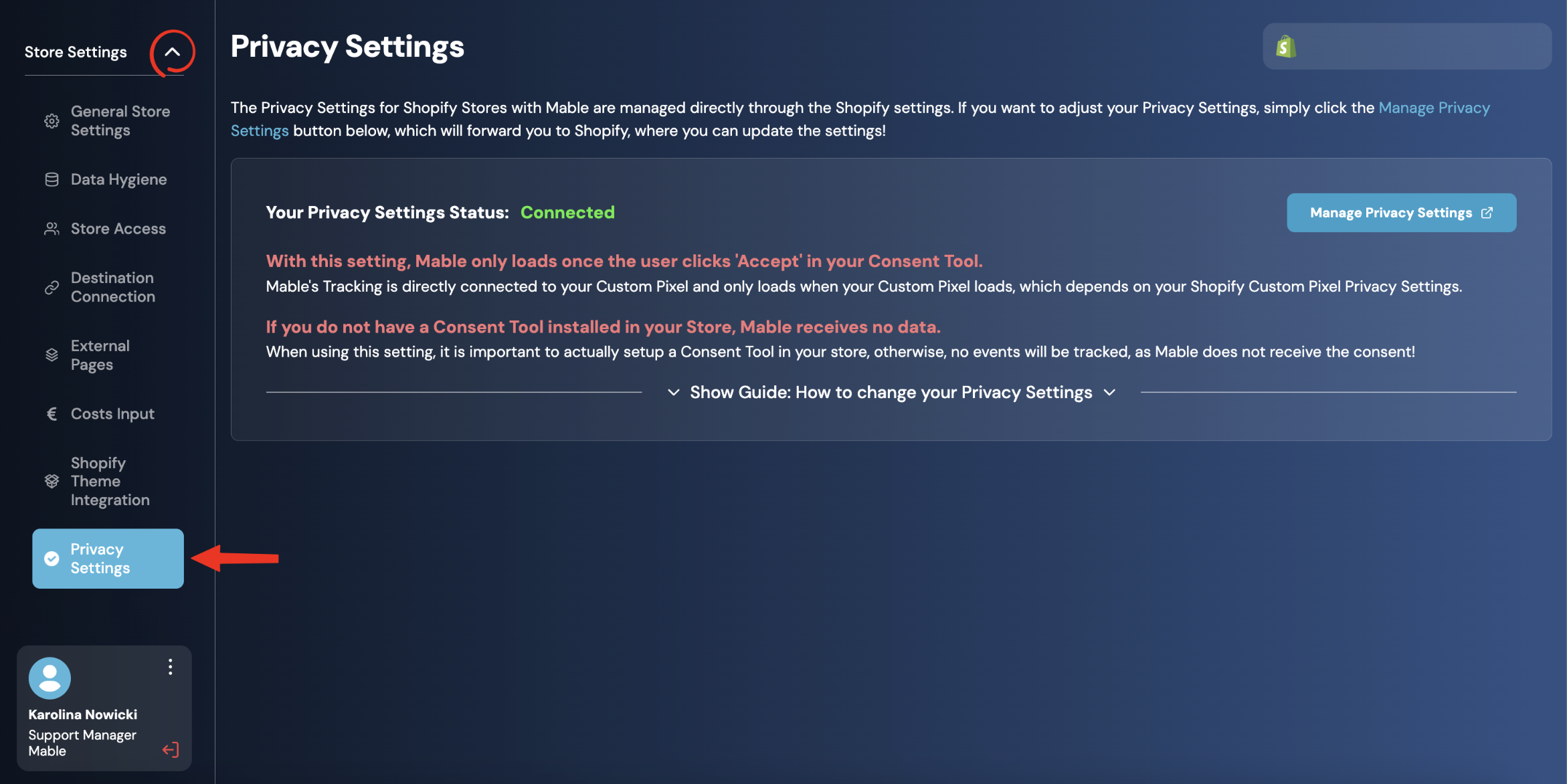
For customers who place orders after Mable was installed, the available Privacy Permissions depend on your configured Privacy Settings.
If your Privacy Settings allow Mable to use all customers, those customers can be included in Audiences.
If your Privacy Settings restrict the use of customer data, only customers for whom Mable has the required Privacy Permissions can be included.
The Privacy Settings are configured in the Mable Custom Pixel in Shopify.
How does this relate to Segments?
Segments and Audiences are connected, but they are not the same.
Segments live in Mable.
Mable analyzes your customer base and assigns customers to different segments based on order history and customer behavior.
Audiences live in Meta.
Mable uses the segment data to create and update Meta Custom Audiences.
This means:
A customer can be part of a Mable segment, but not appear in the final Meta Audience if the customer does not have privacy permission or cannot be matched by Meta.
Best Practice: How should I use Audiences?
Audiences can be used in different ways depending on your business goals. Here are a few best practice strategies:
Customer acquisition
The most important use case for Audiences is excluding Active Customers from acquisition campaigns.
This helps ensure that your acquisition budget is spent on reaching new customers rather than customers who already know your brand.
Customer reactivation
Passive Customers are ideal for win-back campaigns. Since these customers have not purchased within your Active Customer Window, targeted advertising can help reactivate customers who have become inactive.
Win more loyal customers
Repeat Customers are well suited as the source for Lookalike Audiences, as they have demonstrated long-term purchase behavior. Building Lookalikes from this segment can help attract customers with similar characteristics.
Subscription brands
For brands with subscription products, the following strategies are recommended:
Exclude narrow Lookalikes of First Order Churns to reduce acquisition of customers who subscribe only to claim an introductory discount before cancelling.
Exclude narrow Lookalikes of Non-Subscription Customers to increase the share of customers who are likely to become subscribers.
Target broad Lookalikes of Multi-Order Subscribers to acquire customers with a higher likelihood of becoming long-term subscribers.
Target Multi-Order Churns with dedicated campaigns to reactivate former loyal subscribers.
Fashion brands
For brands with high return rates, return-based audiences can improve acquisition quality:
Exclude narrow Lookalikes of High Return Rate Customers to reduce acquisition of customers who frequently return products.
Target broad Lookalikes of Low Return Rate Customers to attract customers who are more likely to keep their purchases.
Analytics
First-Time Customers and Repeat Customers are also valuable for analytics, helping you understand the composition of your customer base and monitor acquisition and retention over time.
Important note
Audiences in Mable 2.1 are currently available for Meta only.
Audiences are configured per connected Meta Ad Account. If multiple Meta Ad Accounts are connected, each Ad Account can have its own Audience setup.
The final Audience size in Meta can differ from the segment size in Mable because it depends on privacy permission and Meta’s matching process.